Agency AI Stack 2026: The Exact Tools Leading Marketing Agencies Are Running
11 mins read

Every few months, a new list of "best AI tools for marketing agencies" gets published. The tools change. The format stays the same: a numbered list, a brief description of each tool, a note about pricing. Read enough of them and you start to notice something.
The lists tell you what the tools do. They rarely tell you how to build a system from them.
The difference between an agency with a functioning AI stack and one with a collection of expensive subscriptions is not which tools they chose. It is whether those tools are organised into layers that connect with each other, serve defined purposes, and produce measurable output — rather than sitting in separate browser tabs waiting for someone to remember to use them.
A winning AI marketing stack in 2026 is less about buying every new tool and more about building a clean system that creates demand, captures demand, and proves impact.
This article builds that system. Five layers, specific tools for each, and the logic behind every choice.
Why most agency AI stacks fail
Before getting into the stack itself, it is worth understanding why so many agencies end up with expensive tool collections that do not function as systems.
The most common failure pattern looks like this: an agency purchases tools reactively, one at a time, in response to specific problems or conference recommendations. ChatGPT for content drafting. A reporting tool for client dashboards. A scheduling tool for social posts. An AI email tool for outreach. Each tool solves a narrow problem. None of them talk to each other. The agency ends up with five subscriptions, five separate logins, and a team that uses each tool inconsistently because there is no documented workflow connecting them.
The best digital marketing teams in 2026 are using generative AI in five high-impact ways: reducing low-value manual work, increasing output breadth, improving personalisation, improving discoverability, and connecting production with performance. The key word in that last point is connecting. A stack that does not connect production with performance is not measuring whether it is working.
A strong 2026 agency stack usually includes an AI assistant, a research tool with citations, a design suite, automation to connect the tech stack, and visibility tooling for AI search and SEO. The framework below organises exactly these elements into a five-layer system — one that produces output, measures it, and improves over time.
The five-layer agency AI stack
Layer 1 — The intelligence layer (AI assistants and language models)
This is where thinking happens. The intelligence layer is the set of AI models your team uses for drafting, analysis, research, strategy, and synthesis. It is the most visible layer because it is the one team members interact with directly every day.
Claude (Anthropic) is the primary tool for long-form work — article drafts, client strategy documents, campaign briefs, report summaries, and any task requiring synthesis of large amounts of information. Claude is particularly useful for long-form analysis, synthesis, and strategy-heavy work. It performs well when marketers need to process long documents, voice-of-customer files, research packets, interview transcripts, and campaign debriefs. For agencies producing detailed client-facing content, Claude's ability to maintain consistent tone and structure across long outputs is a significant advantage.
ChatGPT (OpenAI) works best for fast iteration, brainstorming, and collaborative team workflows where multiple people need access and a familiar interface. ChatGPT is ideal for teams that need a general-purpose AI assistant rather than a highly specialised point solution.
Perplexity fills the research gap that both ChatGPT and Claude leave — real-time web search with citations. For agencies that need current market data, competitor intelligence, or industry statistics to include in client deliverables, Perplexity produces cited, verifiable answers rather than plausible-sounding hallucinations.
How they work together: Claude handles the depth work. ChatGPT handles the fast iteration. Perplexity handles the research. Each tool has a defined job, which prevents the team from defaulting to whichever AI they opened most recently.
Layer 2 — The automation layer (workflow engine)
This is the most important layer in the entire stack and the one most agencies underinvest in. The automation layer is what connects every other tool together and eliminates the manual steps between them.
Make.com is the primary automation engine for agencies running complex, multi-step workflows. Make is a powerful visual automation platform agencies use in 2026 to orchestrate data and workflows across multiple apps without writing code. If your agency deals with complex data flows, multiple tools, and clients with varied tech stacks, Make is a strong option. Make's visual scenario builder allows non-technical team members to build and maintain automations — connecting GA4 to a report template, routing a lead from a contact form into the CRM, or triggering a content generation workflow from a brief submitted in Notion.
Zapier sits alongside Make for simpler, faster connections between tools where complex data transformation is not required. Zapier connects tools via triggers and actions so you can automate repetitive workflows without heavy engineering. Start with three automations: lead routing, content status updates, and dashboard refresh workflows.
The principle for choosing between them: if the automation requires conditional logic, data transformation, or multi-step branching, use Make. If it is a straightforward trigger-action connection between two tools, Zapier is faster to set up and maintain.
What the automation layer enables: Every other layer in the stack produces more value when it is connected by automation. A content brief submitted in Notion triggers a Make.com scenario that sends it to Claude for drafting, saves the output to Google Docs, and notifies the account manager in Slack — without any manual steps. A new lead from a website form is instantly routed to the CRM, scored by the AI qualification system, and sent a personalised first-touch email — in under two minutes, at any hour.
Layer 3 — The content operations layer (production at scale)
This is where content gets created, formatted, and scheduled. For agencies producing content across multiple clients simultaneously, the content operations layer is what determines whether output volume is sustainable.
Notion serves as the content planning and brief management hub. Every client has a content workspace in Notion. Briefs are created there, approved there, and when marked as ready, trigger the automation layer to begin the production workflow. Notion AI assists with brief expansion and outline generation. The team works in one place rather than across email threads and Google Docs.
Claude API (via Make.com) handles the brief-to-draft stage. Rather than a team member manually pasting a brief into Claude's interface and copying the output, the automation layer sends the brief to the Claude API directly, receives the draft, and deposits it in the correct Google Doc for review. The human's job shifts from writing to editing and approving.
Canva handles visual content production. For agencies producing social graphics, report templates, and presentation decks across multiple clients, Canva's brand kit and template system ensures every piece of content is on-brand without starting from scratch. The Canva API connects to the automation layer — when a content piece is approved in Notion, Make.com can trigger Canva to generate the formatted social graphic automatically.
Buffer handles scheduling and publishing. Once content is approved, it moves into Buffer's queue for each client's social accounts and is published on schedule without further manual input.
The content operations flow: Brief created in Notion → automation triggers Claude API draft → draft deposited in Google Docs → account manager reviews and approves → automation triggers Canva to generate graphics → content moves to Buffer queue → published on schedule. The account manager touches the workflow twice: once to review the brief, once to approve the draft. Everything else is automated.
Layer 4 — The data and reporting layer (measurement and client visibility)
This is the layer most agencies have partially built and rarely finished. The data layer connects your client performance data to the reporting output your clients receive — automatically, accurately, and on schedule.
Google Analytics 4 (GA4) remains the primary web performance data source for most agency clients in 2026. The GA4 API connects directly to the automation layer, allowing performance data to be pulled programmatically rather than manually exported.
Google Ads API and Meta Ads Manager API provide paid media performance data. The same principle applies: instead of a team member logging into each platform to pull last week's numbers, the automation layer pulls the data on a schedule and feeds it into the reporting workflow.
Airtable serves as the data backbone — the structured database where all client performance data, system metrics, and operational records are stored. Airtable's flexibility makes it the right choice for agencies that need to connect multiple data sources without engineering custom database infrastructure.
Looker Studio (formerly Google Data Studio) provides the reporting front-end for clients who prefer a live dashboard over a PDF report. It connects directly to GA4 and Google Ads, requires no manual data entry, and updates automatically.
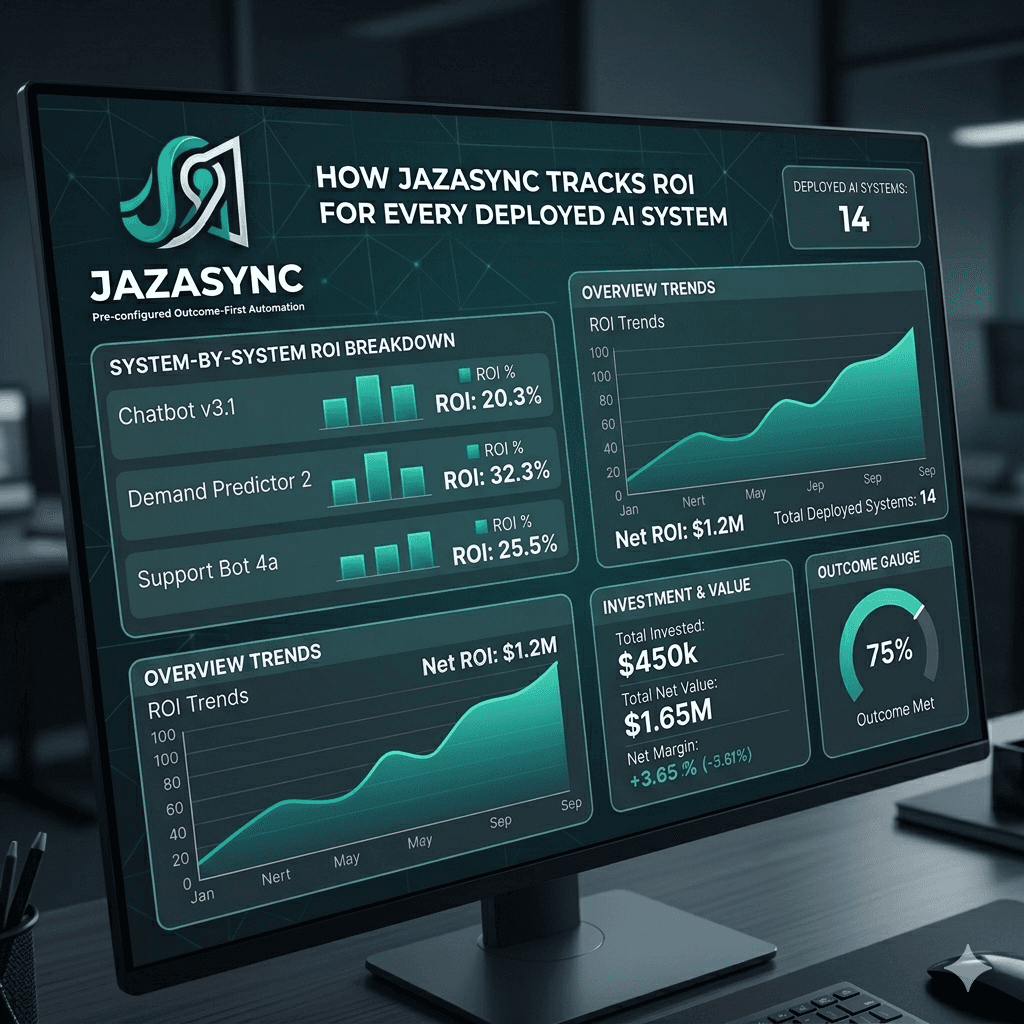
For agencies using Jazasync systems: Nexus provides a unified visibility layer across all deployed AI systems — tracking hours saved, value generated, and system health in real time, with automated monthly ROI reports delivered to every client automatically.
Layer 5 — The client relationship layer (CRM and communication)
This is the operational backbone of the agency — the system that tracks every client relationship, every project status, and every communication.
HubSpot (free tier) handles CRM for most agencies at the growth stage. Contact records, deal pipelines, email sequences, and follow-up reminders all live in HubSpot. The free tier is sufficient for agencies managing up to 30 active client relationships. The automation layer connects HubSpot to every other part of the stack — a new deal closed in HubSpot triggers the client onboarding workflow in Make.com, which creates the Notion workspace, the Airtable records, and the Buffer social accounts.
Slack handles internal communication and contractor coordination. Every Make.com automation that requires human review or approval sends a Slack notification. This keeps the team in one communication environment rather than checking multiple tools for updates.
Calendly handles all external booking — discovery calls, audit calls, onboarding sessions, and monthly strategy reviews. The booking link lives on the website, in email signatures, and at the end of every outreach message. When a call is booked, Make.com automatically creates a preparation brief in Notion and adds the contact to HubSpot.
Loom handles async video communication — contractor briefings, client walkthroughs, and system handoff documentation. A Loom video recording of a system walkthrough takes 15 minutes to produce and replaces a 45-minute live call. For agencies operating across time zones, async video is the highest-leverage communication format.
The complete stack at a glance
Layer | Primary Tool | Supporting Tool | Purpose |
|---|---|---|---|
Intelligence | Claude | ChatGPT + Perplexity | Drafting, analysis, research |
Automation | Make.com | Zapier | Connecting all layers |
Content ops | Notion + Claude API | Canva + Buffer | Brief to published content |
Data + reporting | GA4 + Airtable | Looker Studio + Nexus | Client performance visibility |
Client relationship | HubSpot | Slack + Calendly + Loom | CRM and communication |
The two rules that separate a functioning stack from an expensive collection
Rule 1: One tool per job.
Tool sprawl is the most common and most expensive problem in agency tech stacks. Pick the stack that matches your delivery model, not the fanciest AI feature. These are one-tool-per-job stacks designed to reduce revision chaos, speed up multi-client throughput, and keep reporting clean. Every tool in the stack above has a defined, non-overlapping job. When a new tool is proposed, the question is always: which existing tool does this replace, and is the replacement worth the migration cost?
Rule 2: Document the workflow before adding the tool.
A tool without a documented workflow produces inconsistent results. Before adding any new tool to the stack, write a one-page SOP: what triggers its use, what the input looks like, what the expected output is, and how that output moves to the next stage. If you cannot write that SOP, the tool is not ready to be added to the stack. If the SOP exists, the tool can be used by any team member or contractor consistently from day one.
How to build this stack without overwhelming your team
The full five-layer stack described above is not a week-one project. It is a 6–9 month build that compounds as each layer is added.
The order that produces the fastest results for most agencies:
Month 1: Intelligence layer only. Get the team using Claude and ChatGPT consistently for drafting and research. Establish brand voice guidelines so the AI output is consistent across clients.
Month 2: Automation layer foundations. Build three Make.com scenarios: lead routing from website to HubSpot, weekly GA4 data pull to Airtable, and content brief to Claude API draft. These three automations recover more time than any other early investment.
Month 3–4: Content operations layer. Connect Notion to the automation layer. Build the brief-to-Buffer workflow. Train the team on the new process.
Month 5–6: Data and reporting layer. Automate client report generation and delivery. Connect GA4, Google Ads, and Meta Ads to the reporting workflow.
Month 7+: Client relationship layer refinement. Connect HubSpot to all other layers. Build the full onboarding automation. Add Loom to contractor briefings.
The stack is not the strategy
The most important thing to understand about any agency AI stack is that the tools do not produce outcomes on their own. They amplify the agency's existing strategy and workflows — which means a weak strategy with a strong stack produces weak outcomes faster, and a strong strategy with a weak stack produces strong outcomes slowly.
The agencies getting the most from their AI stack in 2026 are not the ones with the most sophisticated tools. They are the ones with the clearest workflows, the most consistent execution, and the measurement systems to know what is working.
The stack described in this article is what the infrastructure looks like. The strategy that runs on top of it is what determines the results.
How Jazasync fits into your agency stack
Jazasync builds and deploys the automation and reporting layers of your agency stack as pre-configured systems — fully connected to your existing tools, tested across real client environments, and maintained on subscription as the underlying tools evolve.
Every system we deploy connects to Nexus, our client operations dashboard, which tracks hours saved, value generated, and system health across your entire deployed stack in real time.
Book a free 20-minute AI audit → We will review your current stack, identify the highest-impact layer to build first, and show you exactly what a deployed system would deliver for your agency.
Arsalan Waseem is the founder of Jazasync, a productized AI systems company building and deploying automation workflows for marketing agencies.
Tags: Agency AI Stack · Marketing Agency Tools · AI Automation 2026 · Agency Tech Stack · Marketing Operations
Related articles:
The true cost of manual work in a marketing agency (and how to calculate yours)
How marketing agencies are automating client reporting in 2026
The AI implementation gap: why agencies pay for tools they never use
More